
Preface
Received some query messages on subscription account, such as vue, react, but unfortunately never had the mood to work on keyword search, so left it aside
When fixing blog homepage style issues, happened to see previous blog post: WeChat Official Platform Graphic and Text Message Auto Generation, which mentioned WordPress plugin, so顺势 added auto-reply function to subscription account
Here~ looks like this:
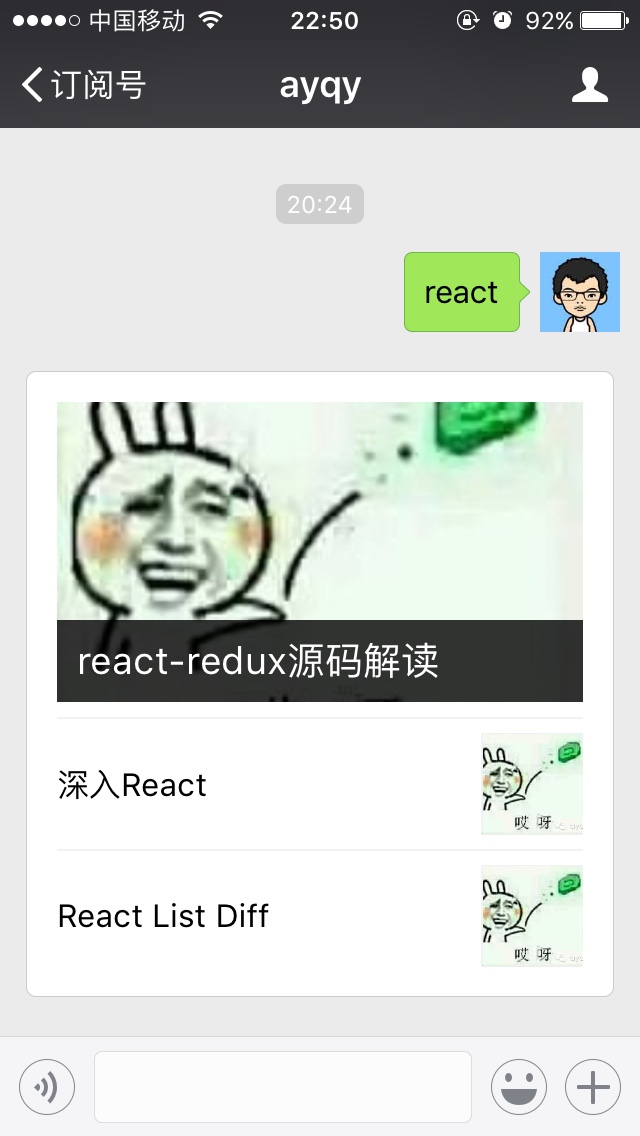
P.S. Style issue means in firefox, container's white-space: no-wrap will cause float-right child elements to wrap, guess firefox doesn't comply with specification, details see Demo
P.S. Additionally, firefox57 is indeed much faster than previous versions, before always felt like it was beaten by Chrome in memory first
I. Plugin Selection
Previous blog post mentioned 2 plugins:
- WordPress plugin wechat_subscribers
Feature: Auto-reply latest articles, random articles, search results, etc., permanently free
- WordPress plugin Wechat-Manager
Feature: Keyword auto-reply latest articles, most commented articles within week/month/year, article search results
After more than 1 year went to check again, found both seem still being maintained, after trial chose wechat_subscribers, main advantages:
-
commit looks more professional, more attentive, such as
rename method.,rename class.,clean comment. -
Has long changelog, feels reliable
-
Token verification passed (Wechat-Manager's token always couldn't pass verification... so, actually no choice)
Disadvantages:
- Documentation too poor, readme has no detailed installation steps, and format is very messy
Fortunately connecting WeChat official platform only requires one token, figured it out through exploration, effect is quite satisfactory
II. Installation Steps
1. Download Plugin Source Code
https://github.com/ayqy/wechat_subscribers
Use default master branch, download and extract
P.S. Tested usable under WordPress 4.3.13, other versions should also be no problem, because plugin has few dependencies, only used very few WordPress APIs (such as get_posts, get_results)
2. Install and Enable
Install: Throw extracted folder to ftp's wordpress/wp-content/plugins directory, that's installation complete
Enable: Enter WordPress backend, from left menu enter plugins, find "WeChat Subscription Account Management", enable
Then need to connect to WeChat official platform through token
3. Configure Token
Operation steps:
-
Find "WeChat Subscription Account Management" in backend left menu, enter "Plugin Settings"
-
Fill in token, save changes, will get a URL
-
Enter WeChat official platform backend, left side "Development/Basic Configuration -> Server Configuration/Modify Configuration" fill in "URL" and "Token" (use URL from previous step and Token you filled), randomly generate EncodingAESKey, select "Plain Text Mode", submit
-
(After successful submission will return to previous page) Enable server configuration, panel status will become "Server Configuration (Enabled)"
At this point token is configured (both parties have established trust relationship according to agreed "protocol")
4. Add Auto-Reply Rules
Reached trial stage, enter WordPress backend, left side "WeChat Subscription Account Management/Custom Reply -> Add New Reply"
Plugin provides 3 trigger mechanisms (message matching mechanism):
-
Normal: Keyword fuzzy matching
-
Default: default case, when other rules don't match use this
-
Subscribe: Trigger when new follow
For example add a test rule:
Reply Title   test
Keyword     测试,test,t
Trigger       Normal
Publish       Check
Type       Plain Text
Content       hoho
Save and exit, WeChat enter subscription account send "测试 or test or t", will immediately receive reply "hoho"
Reply message format supports:
-
Plain Text
-
Graphic and Text Message: Similar to WeChat official platform's graphic and text message, provide image and article link
-
Recent Messages: Latest few articles
-
Random Messages: Randomly select few articles
-
Search Keyword: Site internal search results
Most useful should be search keyword, can throw user's wanted blog post list over, of course basic functions are also good
III. Optimize Search Results
Trial found reply results have little relevance to query keyword, for example:
Keyword redux
Results
    MobX
    react-redux source code analysis
    dva
Plugin defaults to WordPress native API get_posts, sorted by publish date, so obtained results are not very scientific, MobX and dva only mentioned a bit of redux in content, also counted in
Yes, we need to improve search result relevance, most direct idea is to add weights, then sort comprehensively by weight, for example:
Match Item    Weight
Title      3
Category      1
tag       1
Content      0.5
Comment      0.3
Calculate weights for all matched article lists, then sort descending, that's the result I want, corresponding PHP code as follows:
// from interface.php/getSearchPosts
// ID, post_content, post_excerpt, post_title
// extra: post_type, post_modified
$posts = $wpdb->get_results($wpdb -> prepare("select ID,post_content,post_excerpt,post_title,post_type,post_modified from db_wp_posts where post_status = 'publish' order by ((CASE WHEN post_title LIKE '%{$keyword}%' THEN 2 ELSE 0 END) + (CASE WHEN post_content LIKE '%{$keyword}%' THEN 1 ELSE 0 END)) DESC, post_modified DESC, ID ASC limit $re_count"));
Find articles with title and content matching keyword from published articles in db_wp_posts table, and add weights (title weight 2, content weight 1), then sort descending, take first $re_count query results
Note, here used SQL's simple case function, very flexible small trick
IV. Source Code
Github address: https://github.com/ayqy/wechat_subscribers
Structure
wechat_subscribers/
  css/
  img/
  js/
  language/   # Multi-language support, WordPress plugin conventional pm,po files
  __wechatsucks__.php   # Black technology, can try when token verification doesn't pass
  _edit.php   # And following 3 are all backend pages and configuration forms
  _general.php
  _history.php
  _settings.php
  ajax_request_handle.php   # Blog post list needed for configuration form, check now
  class-wpwsl-general.php   # Register new rule page
  class-wpwsl-history.php   # Message record page
  class-wpwsl-history-table.php # Register message record page
  class-wpwsl-list-table.php    # Blog post table interaction, sort/pagination
  class-wpwsl-settings.php  # Register to left menu
  content.php   # Plugin homepage, all nonsense
  index.php     # Useless
  interface.php # **Core part** Site internal search, send/receive messages
  posttype_wpwsl_template.php   # Backend configuration data format
  wpwsl_core.php # Plugin entry, register
todo
Forked over wanted to do few things:
-
Rewrite readme (original version too terrible, saw it didn't want to use) 100%
-
Search results sort by relevance (default sort by date) 100%
-
Extend functions 0%
-
Keyword support type constant (such as number)
-
Support commands (such as message, topN)
-
Fun functions (such as voice query)
-
No comments yet. Be the first to share your thoughts.