
Preface
A peculiar border-image problem, thought about it for a long time, as follows:
If the device at hand is Android, you should be able to see 4 thin lines between the bubble border and the text. If you are good at finding flaws, you can also find a very thin horizontal line below the bubble corner.
The corresponding source code is as follows:
<div style="background-color: silver; padding: 20px;">
<div style="border: 10px solid; border-image: url(http://www.ayqy.net/temp/popup-white.png) 20 fill repeat; width: 136px;">
<div style="padding: 15px;">Cute popup</div>
</div>
</div>
I. Problem Restatement
After applying border-image, there is a circle of transparent thin lines between the border box and the content box. In some cases, there is also a circle of transparent thin lines outside the border box, as in the effect above.
Note: iOS seems to not have this problem, but apparently all Android devices do, at least Android 6.0 does. Other devices待 testing. If your device has this problem, please leave a message to let me know, thank you.
The border-image related parts are as follows:
border: 10px solid;
border-image: url(http://www.ayqy.net/temp/popup-white.png) 20 fill repeat;
Crop a 20px frame from the 2x image and shrink it onto the 10px border. So, where do these thin lines come from?
P.S. To prevent the bug from flying away, posting images to record:
[caption id="attachment_1194" align="alignnone" width="169"]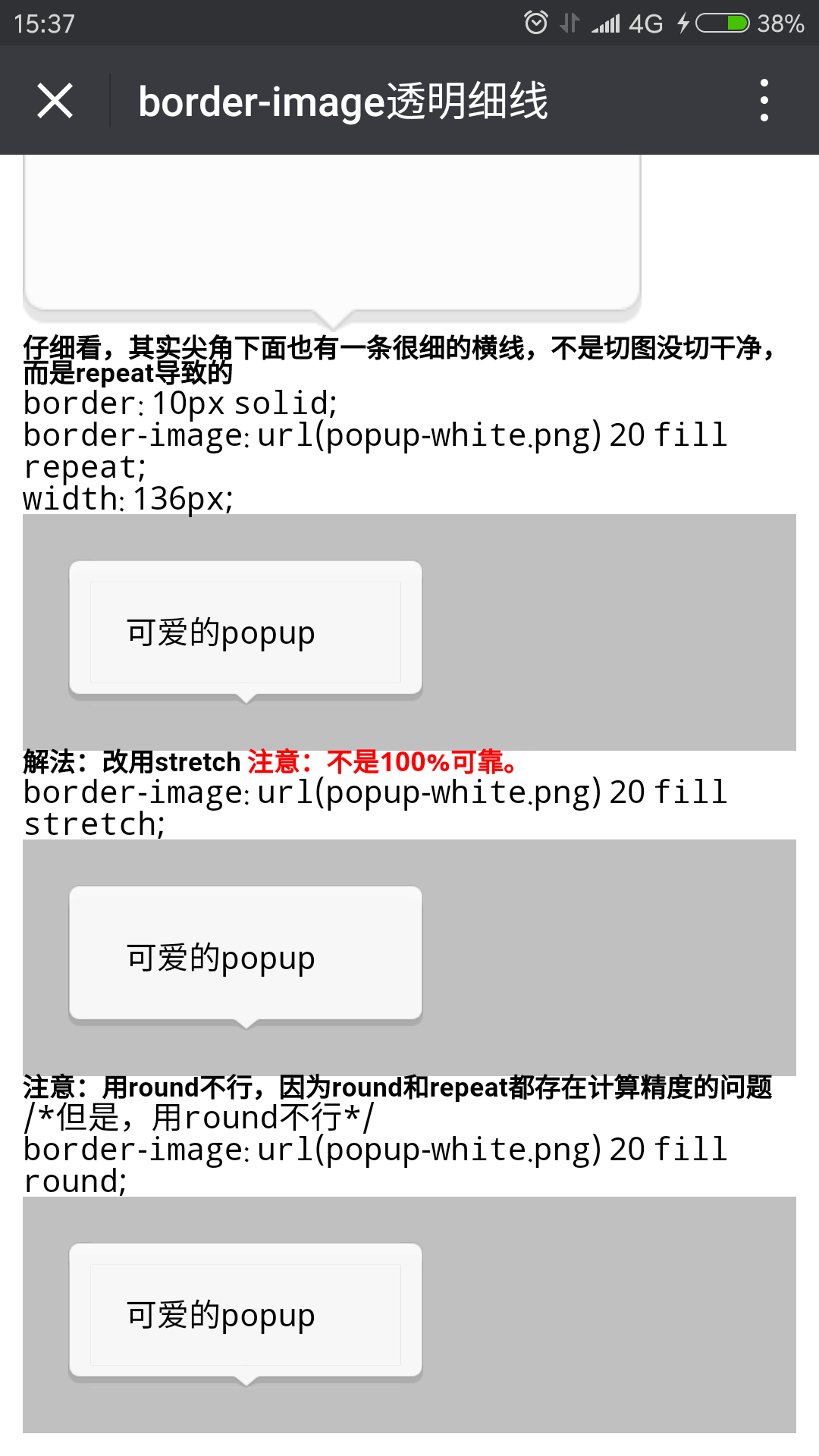 border-image 2x image[/caption]
[caption id="attachment_1195" align="alignnone" width="169"]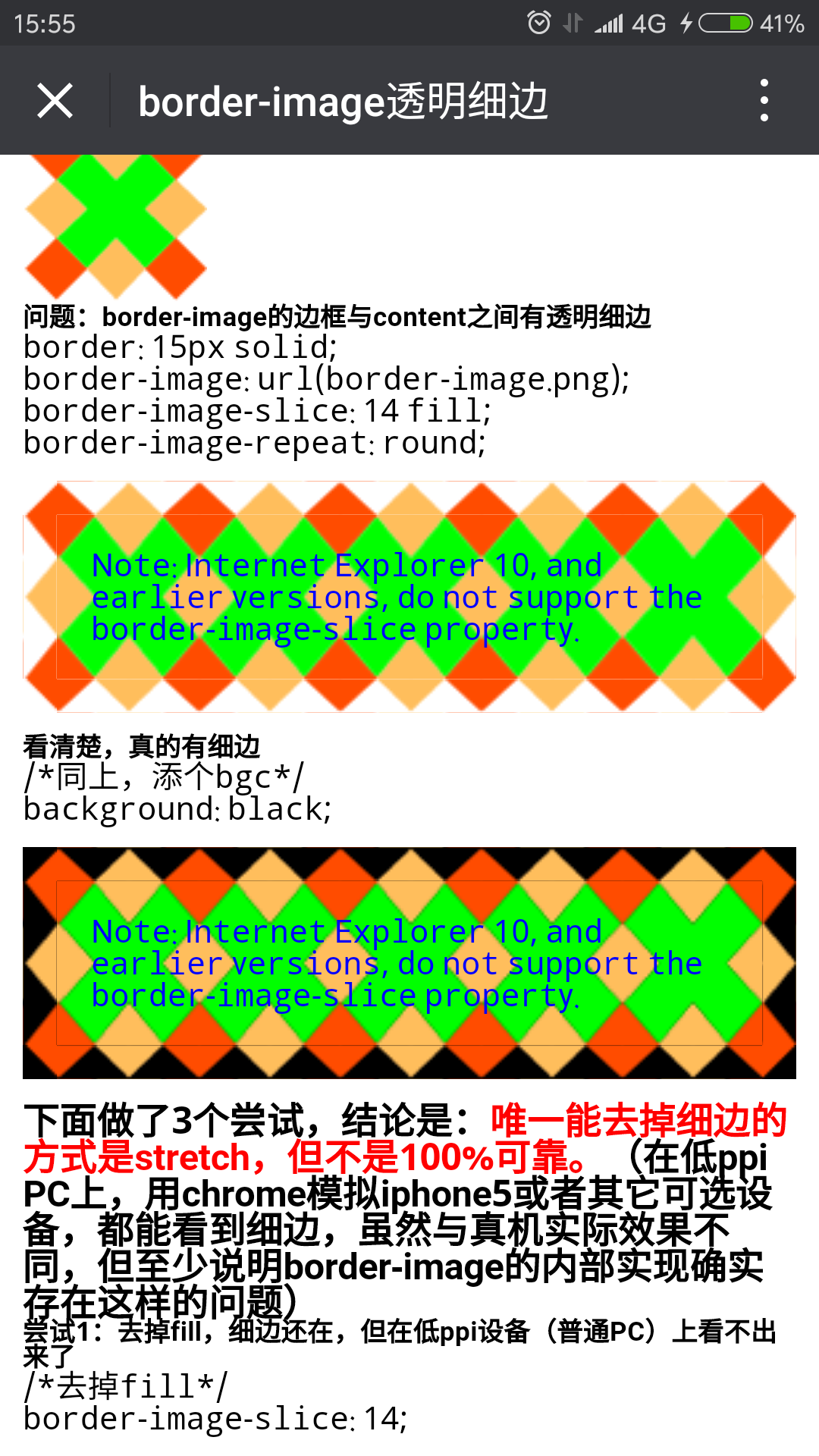 border-image 1x image[/caption]
II. Cause Analysis
Recall zxx's example of laying tiles:
Let's put it this way, you bought a 99.5m99.5m roughcast house from Vanke Real Estate, and the floor needs to be tiled, all 1m1m square tiles. If it's "round", sorry, these 1m side length tiles won't work, need to process! How to process? Very simple, press each tile into 0.995m0.995m, and that's it. So, round is to fill the entire area with complete units. If it's repeat, just place these 1m1m tiles one by one from a corner. What if you can't fit them when you reach the end? Just "snap" the tile from the middle. So finally you will see many half-cut tiles at the corners of the house.
(Quoted from CSS3 border-image Detailed Explanation, Application and jQuery Plugin ? Zhang Xinxu-Xin Space-Xin Life)
Although theoretically there shouldn't be these 4 thin lines no matter how you lay them, calculation is always limited by precision, such as sub-pixel offset caused by scale. These 4 lines should be similar to this. The problem comes from browser implementation, or rather calculation precision loss.
If it's a precision problem, both tiling (round) and repeating (repeat) involve cropping calculations, so precision loss might be more severe. Stretching (stretch) has no cropping calculation, only interpolation calculation, so theoretically the effect should be better. Let's try it below.
III. Solution
Try using stretch and round, see details at http://www.ayqy.net/temp/border-image-pop.html
On Android devices, found that after using stretch, the 4 thin lines are gone. Temporarily consider stretch as a feasible solution.
But in Chrome Device Emulation, you will find the thin lines are still there (Mac Chrome can also see the thin lines), regardless of whether the value of border-image-repeat is stretch, round, or repeat.
On Mac Safari, whether it's a normal page or "Enter Responsive Design Mode", you can't see the thin lines. And iphone5s, iphone7 both can't see the thin lines. In addition, FF49 has this problem, but not as obvious as Chrome. IE11 completely doesn't have this problem. So temporarily consider this problem as specific to Google's products, because Chrome desktop/mobile and Android native browser all have it, while the entire iOS family seems to not have it.
In addition, personally tested and found that the thin line problem has nothing to do with 2x image, 1x image, has nothing to do with image size, has nothing to do with fill or not, has something to do with screen ppi, but the relationship is not significant. See details:
-
http://www.ayqy.net/temp/border-image-pop-try.html: Image size, old version
-webkit-,outline
Only when stretch is used, thin lines will not appear. Other methods don't work.
P.S. Even considered using child element's outline to cover the thin lines. Solid opaque background is indeed effective. Under semi-transparent background, it's very difficult to accurately set the color value of outline (especially when the design draft is several semi-transparent layers stacked). Moreover, outline cannot solve the thin line below the corner (parent element outline: 2px solid transparent of course doesn't work, if it's transparent how can it cover).
This problem proves another thing: repeat and round both tile from the center to both ends (that's why there are 4 thin lines).
IV. Conclusion
border-image is a powerful property, but unfortunately, its truly powerful features are not yet usable, although several years have passed.
Currently (2016-10-22) if you must use it, suggest only using border-image-repeat: stretch, not recommended to use repeat/round, because there is the thin line problem, unless one day Android 6.0 also becomes history.
Using box-shadow, border, border-radius, transform can realize most frames, but border-image is absolutely the simplest and most straightforward way, worth looking forward to.
Final Notes
Android Studio is really too slow. Miss eclipse. Additionally, thanks to @Xu.
No comments yet. Be the first to share your thoughts.