
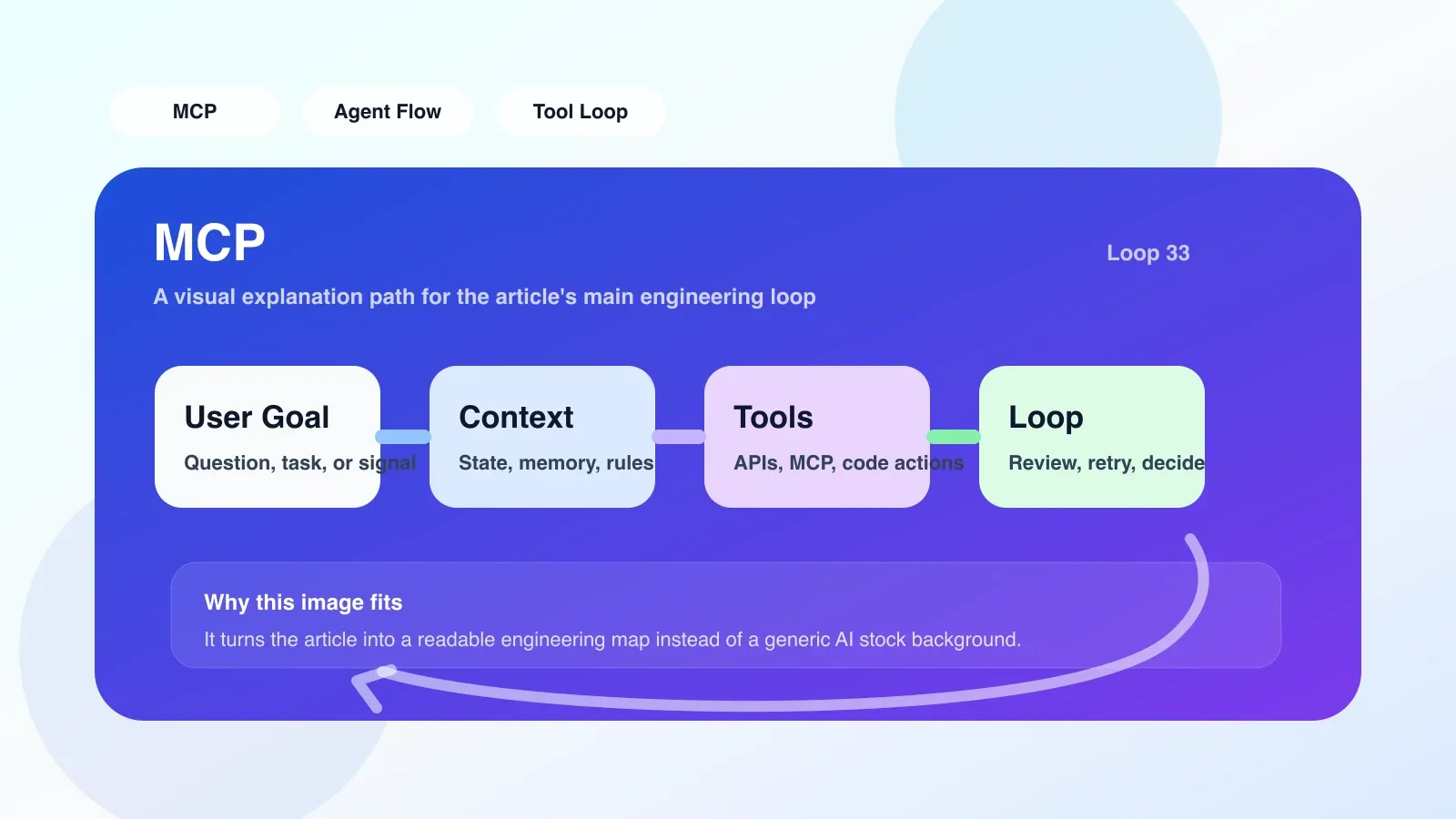
What is MCP?
MCP, usually refers to Model Context Protocol. To explain it in engineering terms, it is a set of protocols that allow models or agents to connect to external capabilities in a unified way: including tools, files, knowledge sources, databases, command lines, editor capabilities, and other runtime contexts.
What it solves is not "will the model answer", but another more practical question: How can the model stably obtain the required context and safely call external capabilities in the real workflow. **
For developers, the significance of MCP is to connect the originally scattered, one-time, and strongly coupled tools into a more standardized interface layer. You can think of it as the "adaptation layer" or "protocol layer" in the AI tool ecosystem.
Why MCP matters now
If you are just talking to a chatbot on the web, MCP is not necessary. But once you start doing these things, MCP becomes critical:
- Let AI read project files and understand code context.
- Have the AI call local commands, databases, searches, or internal interfaces.
- Let an Agent switch between different tools in multi-step tasks instead of writing all logic in one application.
- Allow different clients, editors or agent frameworks to reuse the same set of tool access.
When there is no protocol layer, a common approach is to write separate integrations for each model SDK, each client, and each tool. It works in the short term, but three problems will arise in the long term:
- Tool definitions are inconsistent and migration costs are high.
- The context injection method is confusing and difficult to debug.
- Once either side of the model, host application or tool changes, the entire link must be rewritten.
Herein lies the value of MCP: **It does not make the model smarter, but makes the way the model connects to the real world more controllable. **
Explanation of core concepts of MCP
From an engineering perspective, MCP mainly revolves around three types of roles:
Host: The host environment that hosts the model experience, such as the editor, AI client or Agent runner.Client: The connection layer that represents the host to communicate with external capabilities.Server: The end that exposes specific capabilities, such as file access, database query, warehouse retrieval, command execution, and internal business API.
The model itself usually does not "know" the database or terminal directly. What it sees is a set of callable capability descriptions, such as:
- What is this tool called?
- When to use it.
- What parameters it receives.
- What structure it will return.
- Whether it has permission boundaries or operational restrictions.
Therefore, the essence of MCP is not a separate product, but a convention: **How the client discovers capabilities, how to read context, how to call tools, and how to receive results. **
Implementation principle of MCP
Breaking down a typical call, the workflow usually looks like this:
- The host application starts and connects to one or more MCP Servers.
- Server exposes the resources or tools it supports, such as file system, code search, database reading, and command execution.
- Client converts these capabilities into descriptions understandable by the model.
- The model determines whether a certain tool needs to be called during inference.
- The Client sends the parameters to the corresponding Server according to the protocol.
- Server returns the result, and Client injects the result into the model context.
- The model continues reasoning based on the new context until a final answer or next action is given.
There are two key points in this mechanism.
1. The context is not stuffed in at once
In traditional chat, a common practice is to put all background information into the prompt at once. The problem is that the context gets bigger and bigger, and a lot of the information is actually only needed at a certain step.
MCP is more suitable for on-demand acquisition:
- Read the file when you want to read the file.
- Check the warehouse when you want to check the warehouse.
- Call the command when you want to run it.
- Press resource to read when you want to retrieve the document.
The advantage of this is that it reduces invalid context and is closer to the real development process.
2. Tool calls and data access are protocolized
Without MCP, tool access is often in application-proprietary formats. If you change the client, you may have to rewrite the tool definition, permission mechanism and result analysis.
With the protocol, the tool interface is more like a "reusable component":
- Tool abilities are discoverable.
- The parameter structure is more stable.
- Return values are easier to consume from different hosts.
- When replacing a model or host, the underlying tooling layer does not have to be completely redone.
An example that developers can understand
Suppose you are working on an AI coding assistant and want it to "locate bugs and give fixing suggestions".
Without MCP, common implementations are:
- First manually spell the contents of several files into prompt.
- Then encapsulate a search interface separately.
- Then encapsulate a terminal execution interface separately.
- Adapt a layer of tool calling format to each model provider.
This can quickly become a bunch of coupled logic.
After using MCP, you can split the capabilities into multiple standardized entrances:
- File reading Server: Read the code according to the path.
- Code search Server: Search by symbol or keyword.
- Command execution Server: run tests or lint.
- Document Resource Server: Returns a framework document or internal specification.
After the model receives the task "Help me fix this test failure", it can first search for relevant files, then read the implementation, then run the test, and then output repair suggestions based on the results. For users, it looks like a continuous process; for engineering implementation, every step follows a unified protocol.
Which scenarios is MCP suitable for?
MCP is best suited for the following types of problems:
- Multi-Tool Orchestration: A task needs to be switched multiple times across files, terminals, knowledge bases, and interfaces.
- Multi-client reuse tools: The same set of capabilities want to be reused by the editor, desktop client, and Agent platform.
- Context loading on demand: I don’t want to stuff all the data into the prompt, but get it as I go.
- The tool ecosystem will continue to expand: databases, browsers, internal systems or approval nodes will be added later.
- Team Collaboration Development Agent: Needs clearer boundaries, permissions and maintenance methods.
If your goal is just to make a simple Q&A page, or only have a fixed API call, MCP is often not the first choice.
Applicable boundaries of MCP
This is a part that many articles tend to skip, but it is the most important for selection.
Suitable for situations where MCP is used
- You have confirmed that you will maintain the AI workflow long-term.
- You need to decouple "model capabilities" and "tool capabilities".
- You may change models, hosts or tool implementations in the future.
- You need to uniformly describe permissions, resources, and tool calling interfaces.
Not suitable for priority access to MCP
- You just make a single page demo.
- You only have 1 tool and the input and output are very fixed.
- You don't need to reuse capabilities across clients.
- Your current biggest bottleneck is not the access layer, but the business logic itself is not yet stable.
Common failure scenarios
- Think of MCP as an "automatically strong" plug-in: The protocol will not improve the quality of model inference, but will only improve the access method.
- The tool design is too thick or too thin: Too thick will make it difficult to call the model accurately, and too thin will cause the call chain to be too long and the stability will be poor.
- Unclear permission boundaries: Especially when file, command line, and database write operations are involved, the risk will quickly amplify.
- Return results are not consumable: The data returned by the Server is lengthy and unstructured, making the model more difficult to use.
- Hope that one access can solve all contextual issues: In fact, prompt design, state management, retry strategy, and caching strategy still need to be done separately.
The most important implementation points to pay attention to when implementing MCP
If you are ready to really get started, rather than just staying at the conceptual level, the following points are more important than "protocol terms".
1. Define tasks first, then define tools
Don’t ask first, “How many MCP Servers do I want to connect to?”, but ask first:
- What task does the user want to complete?
- Which steps in the task require external capabilities?
- Which capabilities must be called in real time, and which can be prefetched or cached?
By working backwards from the task to the tool, the tool design will be more stable.
2. Each tool only exposes clear responsibilities
Good MCP tools usually have these characteristics:
- Input parameters are clear.
- The return structure is stable.
- Failure status is interpretable.
- Side effects are controllable.
For example, "Search the code" is more likely to be called by the model stably than "Analyze the entire project" because the boundaries are clearer.
3. Treat the failure path as the main path design
In real workflows, tool failure is not the exception, but the norm. Consider ahead of time:
- What to do if timeout occurs.
- What to do if the permissions are insufficient.
- What to do if the resource cannot be found.
- What to do if the returned result is too large.
- What to do if multiple Server results conflict.
If these issues are not dealt with first, MCP will simply transfer complexity from the application code to the runtime.
4. Control the volume of context reflow
It's not that the more the tool returns, the better. What the model really needs is information relevant to the current step.
A more prudent approach is usually:
- Return summary or candidate list first.
- Read details only when needed.
- Cut and structure long texts, long logs, and long tables.
5. Build in observability
You must be able to answer at least the following questions:
- Why does the model call this tool?
- What parameters does the tool receive?
- At which level did the failure occur?
- Which step explodes the context?
- Which Server is the stability bottleneck?
Without this information, troubleshooting Agent failures can be painful.
MCP is the easiest trap to step into
The most common pitfall is not "not being able to answer", but the belief that after the protocol is unified, the system will naturally be stable**. Actually no.
MCP only solves part of the problem of "how to connect tools and contexts", leaving at least:
- Whether the prompt word can trigger the tool correctly.
- Whether the model will be called at the correct time.
- Whether the data returned by the tool is short enough and accurate enough.
- Whether the execution permission is too wide.
- Whether the status is consistent in multi-step tasks.
Many teams find that the results are mediocre after going online. The root cause is often not in the agreement, but in the lack of completion of these basic projects.
What is the backup plan in case of MCP failure?
If you have tried MCP, but the benefits are not obvious at this stage, there are usually three most realistic backup plans.
Option 1: Direct function call or tool call
When the number of tools is small, the call chain is short, and the host is single, it is enough to directly use the model provider's native function calling or tool calling.
Suitable for:
- Integration within a single app.
- Only 1 to 3 core tools.
- There is no need for cross-client reuse in the near future.
Option 2: Customized adaptation layer within the application
If you need a little abstraction, but it's not worth introducing a complete protocol, you can first build a lightweight tool registration layer inside the service.
Suitable:
- The team is still trial and error quickly.
- Tool interfaces change frequently.
- You want to verify the task loop first, rather than building the infrastructure first.
Option 3: Split complex tasks back into deterministic workflows
If a certain type of task requires extremely high stability, such as financial writing, production changes, and permission operations, it is not necessary to allow the model to make decisions freely. The process can be broken down into:
- The model is responsible for interpreting and generating candidate actions.
- The program is responsible for verification, approval, and execution.
This is usually more stable than "let the Agent complete all actions autonomously".
Actual judgment criteria for developers
If you are still asking "should you learn MCP?", instead of chasing hot topics, it is recommended to use these three judgment criteria:
- Has your AI product entered the multi-tool stage?
- Is your integration logic starting to be repetitive, difficult to maintain, and difficult to migrate?
- Are you moving from "playing with models" to "making agent systems"?
As long as the answer to two of these three questions is "yes," MCP deserves serious understanding.
If the three answers are "no", it is often more profitable to do a good job of task design, tool quality, and business closed loop first than to rush into an agreement.
What to learn next
The correct order to understand MCP is usually not to memorize concepts first, but to follow this path:
- Let’s first look at the external capabilities in a real Agent workflow.
- Then break down the steps in which "context injection" and "tool invocation" occur.
- Then compare: the boundaries of native tool calls, custom adaptation layers, and MCP.
- Finally decide whether your product really needs a protocol layer.
If your goal is not just to call APIs, but to move from an ordinary developer to an engineering role that can design agent systems, context flows, and tool chains, then MCP should be understood in the context of "system design capabilities" instead of being memorized as a separate noun.
No comments yet. Be the first to share your thoughts.