
寫在前面
Rollup was designed with libraries rather than apps in mind, and it is a perfect fit for React's use case.
在 Behind the Scenes: Improving the Repository Infrastructure - React Blog 看到了這個,有些驚訝,這樣好的東西,為什麼只是面向類庫呢?什麼原因致使它不適合用來構建 App?
零.webpack
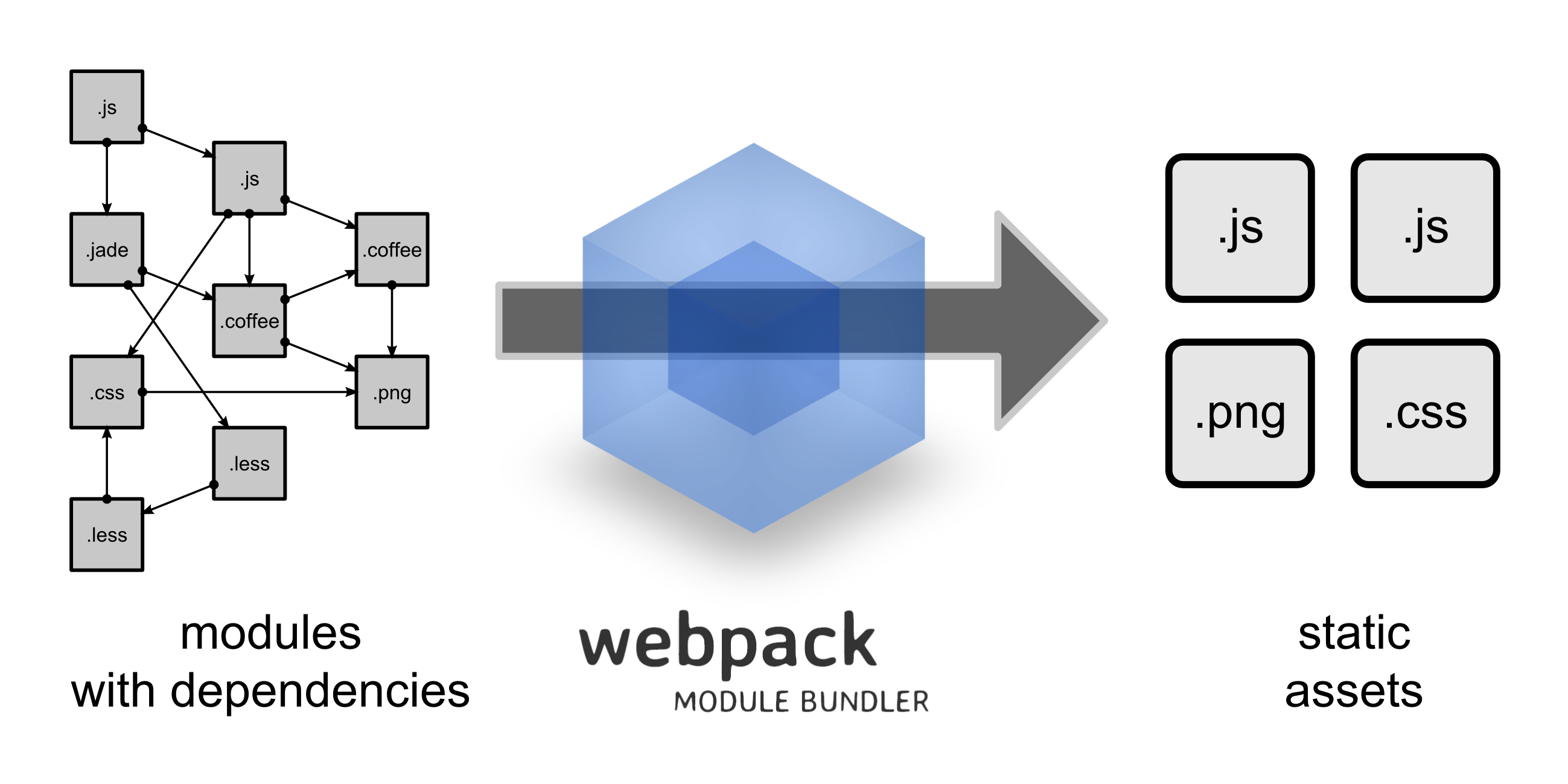
webpack 致力於複雜 SPA 的模組化構建,非常吸引人的是各種 loader:
Essentially, webpack loaders transform all types of files into modules that can be included in your application's dependency graph.
以一致的方式處理各種資源依賴,通過 loader 屏蔽掉了資源類型差異(js 是 module,css 是 module,img 也是 module……),優勢如下:
No more carefully placing your files in the right folders and hacked-together scripts for adding hashes to file URLs?—?webpack can take care of it for you.
另一些非常強大的特性包括:
-
Code Splitting:生產環境按需載入/並行載入
-
Tree Shaking:構建時去掉無用代碼(export)
-
HMR:開發中模組熱替換
-
Commons Chunk:構建時提取公共依賴
-
Dependency Graph:構建完畢輸出模組依賴圖,讓 bundle 有了可讀性
一。初衷
rollup 一開始就是面向 ES6 module 的:
Next-generation ES6 module bundler.
當時 AMD、CMD、UMD 的格式之爭還很火熱,ES6 module 還沒有瀏覽器實現。rollup 就這樣冒了出來
Rollup was created for a different reason: to build flat distributables of JavaScript libraries as efficiently as possible, taking advantage of the ingenious design of ES2015 modules.
(引自 Webpack and Rollup: the same but different,rollup 作者親述)
希望充分利用 ES6 module 機制,構建出結構扁平,性能出眾的類庫 bundle,即面向 library 設計的
二。核心優勢
It solves one problem well: how to combine multiple modules into a flat file with minimal junk code in between.
rollup 讓人驚艷的是其 bundle 的乾淨程度,尤其是 iife 格式,內容非常乾淨,沒什麼多餘代碼,真的只是把各模組按依賴順序,先後拼接起來了
這與 rollup 的模組處理思路有關:
To achieve this, instead of turning modules into functions like many other bundlers, it puts all the code in the same scope, and renames variables so that they don't conflict. This produces code that is easier for the JavaScript engine to parse, for a human to read, and for a minifier to optimize.
把所有模組都扁平地放在 bundle 文件內最外層作用域中,模組之間沒有作用域隔離,依靠重命名來解決同一作用域下命名衝突的問題。幾個顯而易見的好處:
-
運行時性能(代碼結構扁平,便於解析)
-
bundle 源碼可讀性(自然的順序結構,沒有模組定義/跳轉)
-
壓縮可優化性(沒有模組定義之類壓縮不掉的樣板代碼)
這樣做的缺點也很明顯:
-
模組系統過於靜態化,HMR 之類的特性很難實現
-
僅面向 ES6 module,無法可靠地處理 cjs,umd 依賴(每次用 rollup-plugin-commonjs 都會遇到問題)
如果只是面向 lib 的話,第一點不支持也不要緊,但第二點著實頭疼,二級依賴是不可控的,總是不可避免地會遇到 cjs 模組無法轉自動換到 ES6 module 的一些問題,例如:
'foo' is not exported by bar.js (imported by baz.js)
一些場景可以按照 Troubleshooting 通過 namedExports 的方式不太愉快地解決,另一些時候通過 external 或 globals 繞過去,甚至還有需要調整 plugin 應用順序的解法……但沒有辦法徹底解決這類問題:
Webpack gets around the need for namedExports by keeping everything as CommonJS modules and implementing Node's require system in the browser, which is why the resulting bundles are larger and take longer to start up. Both options are valid, but that's the tradeoff to be aware of — more config (Rollup, when using modules like React), or larger bundles (webpack).
(引自 Is "named exports" feature or bug?)
雖然 cjs 終將成為歷史,但目前以及眼下,npm 仍然存在相當多的 cjs 模組,無論是 SPA 還是 library,仍然面經常臨處理 cjs 模組依賴的問題
三。選用原則
Use webpack for apps, and Rollup for libraries
構建 App 的話,webpack 比較合適,如果是類庫,當然 rollup 更好
webpack 構建 App 的優勢體現在以下幾方面:
-
強大的插件生態,主流前端框架都有對應的 loader
-
面向 App 的特性支持,比如之前提到的 HMR,Code Splitting,Commons Chunk 等都是開發 App 必要的特性
-
簡化 Web 開發各個環節,包括圖片自動 base64,資源緩存(chunkId),按路由做代碼拆分,懶載入等,都不難實現
-
可靠的依賴模組處理,不像 rollup 面臨 cjs 的問題,
__webpack_require__沒這些煩惱
而 rollup 沒有這些優勢,做代碼拆分等會遇到一些不太容易解決的問題,沒有足夠的時間和把握的話,不要輕易嘗試把 rollup 作為 App 構建工具
rollup 的優勢在於高效率的 bundle,這正是類庫所追求的,即便費一點周折(正如 React 16 所做的),為了性能也是值得的
注意,這個原則只是說用合適的工具做合適的事情,適用於多數一般場景,用 rollup 構建 App,用 webpack 構建類庫的也很常見:
That's not a hard and fast rule?—?lots of sites and apps are built with Rollup, and lots of libraries are built with webpack. But it's a good rule of thumb.
典型的,如果業務本身沒太多第三方模組依賴,並且風格約定遵循 ES6 module,用 rollup 構建 App 也很合適(Code Splitting 等也不是完全做不到)
P.S. 另外,rollup 也不太容易像 glup 或 webpack 一樣進行基於 stream 的擴展,比如從一個 vue 文件中分離出三部分分別處理(vue 插件 好像還不支持 ts)
四。外部依賴
對於 React 之類的類庫,應該盡可能地作為第三方依賴獨立出去,而不是 build 進 bundle,幾個原因:
-
性能會變差,比如 React 16 費了好大勁切換到了 rollup + GCC(Google Closure Compiler)達到了 109kb,自己編一次立馬回到解放前
-
不利於緩存,類庫不經常更新,可以當做靜態資源充分發揮緩存優勢,而手動 build 的內容受工具配置影響
rollup 下可以通過 external + globals 配置來標記外部依賴:
external: ['react', 'react-dom'],
output: {
  globals: {
    'react': 'React',
    'react-dom': 'ReactDOM'
  }
}
這樣生成的 bundle 為:
// iife
(function (React,ReactDOM) {
    //...
}(React,ReactDOM));

// cjs
var React = _interopDefault(require('react'));
var ReactDOM = _interopDefault(require('react-dom'));
所以一般把業務代碼打包成 iife,再通過 script 引用 CDN 第三方類庫:
<script crossorigin src="https://unpkg.com/react @16/umd/react.production.min.js"></script>
<script crossorigin src="https://unpkg.com/react-dom @16/umd/react-dom.production.min.js"></script>
<!-- 或者聚合的版本 -->
<script crossorigin src="//cdn.jsdelivr.net/combine/npm/react @16.0.0/umd/react.production.min.js,npm/react-dom @16.0.0/umd/react-dom.production.min.js"></script>
P.S. rollup 的 external 與 globals 有些奇怪,無論是 key 還是 value,還是這兩個東西竟然要配合使用,更多信息請查看 [question] Difference between externals and globals
暫無評論,快來發表你的看法吧